Key Takeaways
- Start by auditing your current reports - identify which are recurring and which data sources they use
- Connect your key platforms (CRM, analytics, ads) to a central automation tool before building reports
- Use natural language to define report requirements instead of complex dashboard configurations
- Schedule recurring reports and set up alerts for KPI thresholds to stay proactive
Why You Should Automate Your Reports
If you're still manually building reports by logging into multiple platforms, exporting data, and assembling spreadsheets - you're spending hours on work that should take seconds.
Report automation isn't just about convenience. It's about accuracy, consistency, and speed. Manual reports are prone to human error, they're always slightly out of date by the time they're finished, and they consume skilled people's time that could be spent on strategy and decision-making.
The good news: automating reports in 2026 is easier than ever, and you don't need engineering resources to do it.
Step 1: Identify Your Reporting Workflows
Before you automate anything, map out your current reporting process. For each report, document:
- Which platforms you pull data from (Google Analytics, HubSpot, Xero, etc.) - How often the report is generated (daily, weekly, monthly) - Who creates it and how long it takes - Who receives or reviews it - What decisions it informs
This gives you a clear picture of where automation will have the biggest impact. Most teams find that weekly marketing reports and monthly business summaries are the biggest time sinks.
Step 2: Connect Your Data Sources
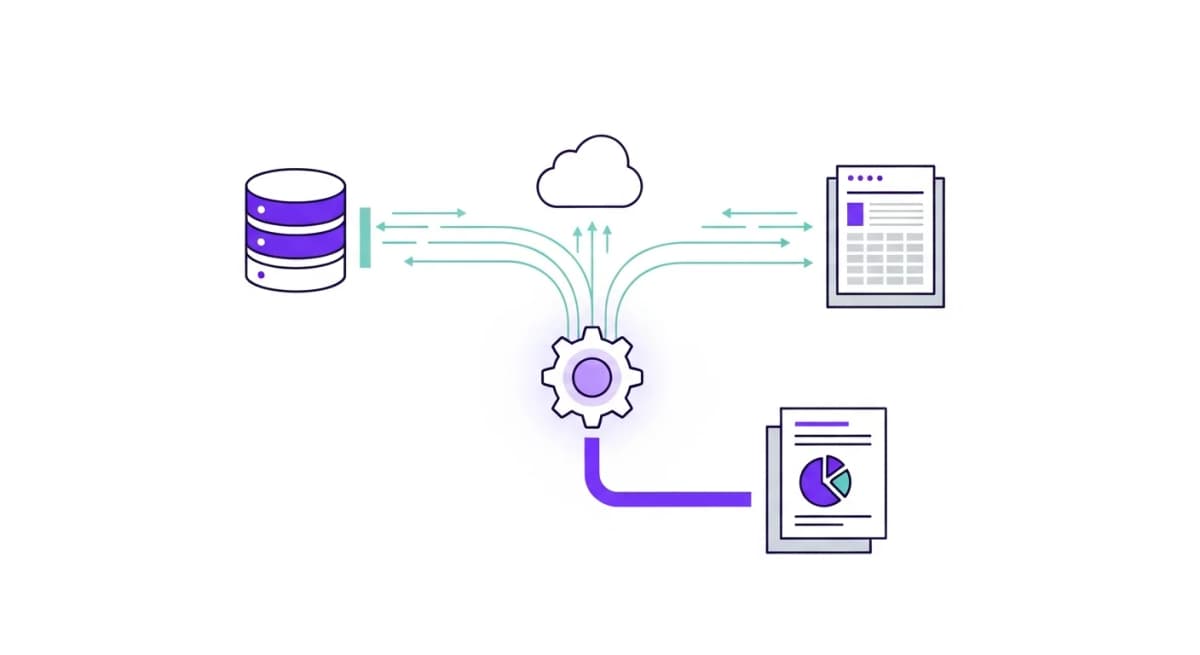
The foundation of automated reporting is having all your data sources connected to a single platform. With Alexia.ai, this means authenticating your tools through secure OAuth or API connections:
- Analytics: Google Analytics, Meta Ads, Google Ads - CRM: HubSpot, Salesforce, Pipedrive - Finance: Xero, QuickBooks, Stripe - Communication: Gmail, Slack, Google Workspace
Most integrations take less than a minute to set up. Once connected, Alexia.ai can pull real-time data from any source whenever you need a report.
Step 3: Generate Reports with Natural Language
This is where AI reporting changes everything. Instead of configuring templates, dragging widgets, or writing formulas, you simply ask for what you want:
- "Create a weekly marketing performance report" - "Generate a P&L summary for last month" - "Show me sales pipeline conversion rates for Q1" - "What were our top-performing campaigns this quarter?"
Alexia.ai interprets your request, pulls the relevant data from your connected tools, and generates a structured report with insights, comparisons, and recommendations.
Stop reading about AI reporting. Start using it.
See how Alexia.ai automates the exact workflows covered in this article.
Step 4: Iterate and Refine
The first report won't always be perfect - and that's fine. With AI-powered reporting, you can refine through conversation:
- "Break this down by channel" - "Add a comparison to last quarter" - "Remove the social media section and focus on paid search" - "Make this more executive-summary style"
Each iteration happens in seconds. Over time, Alexia.ai learns your preferences and reporting style, making future reports even more tailored.
Step 5: Schedule Recurring Reports
For reports you need regularly, set them up to run automatically. Weekly marketing summaries, monthly financial reports, daily KPI snapshots - schedule them once and they'll be generated and delivered without any manual effort.
This is the ultimate goal of report automation: reports that generate themselves, surface insights proactively, and only require your attention when something needs a decision.

About the Author
Simon Jones
Co-Founder, Teamified
Simon Jones is the co-founder and CTO of Teamified, bringing decades of experience in technology, system architecture, and business transformation. He oversees the technical direction of Alexia.ai, ensuring the platform delivers enterprise-grade automation and intelligence.
Connect on LinkedInStart automating reports today
Connect your tools to Alexia.ai and generate your first report in under a minute.