Key Takeaways
- Looker Studio requires significant setup time and technical knowledge to build useful dashboards
- AI alternatives generate reports through natural language instead of drag-and-drop configuration
- The best Looker Studio alternatives combine data visualisation with AI-generated insights
- Switching from Looker Studio to AI reporting can reduce setup time from days to minutes
Looker Studio: Powerful but Time-Consuming
Looker Studio (formerly Google Data Studio) is a solid free dashboard tool. It connects to Google's ecosystem well, supports custom visualisations, and lets you build shareable reports.
But there's a fundamental problem: someone has to build and maintain those dashboards. Creating a proper Looker Studio report takes hours of configuration - connecting data sources, building charts, writing calculated fields, formatting layouts, and setting up filters. Then it needs ongoing maintenance as metrics change, data sources update, and stakeholders request modifications.
For small teams without dedicated data analysts, Looker Studio often becomes more burden than benefit.
The Dashboard Builder vs Conversational AI Approach
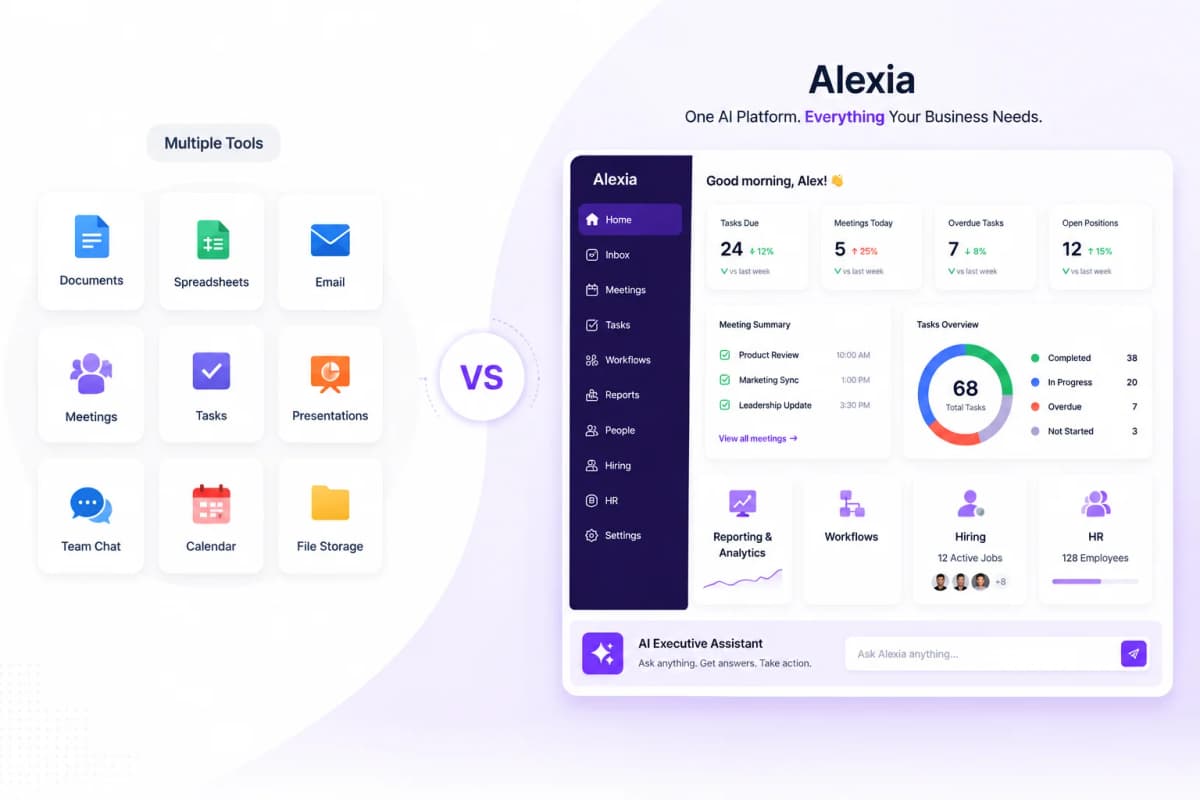
Looker Studio and Alexia.ai represent two fundamentally different philosophies:
Looker Studio: Build it once, maintain forever - You design dashboards with specific charts and metrics - Someone needs to know how to configure data sources and calculated fields - Dashboards answer the questions they were designed for - nothing else - Changes require editing the dashboard configuration
Alexia.ai: Ask anything, get answers instantly - No dashboard to build or maintain - Ask questions in plain English - Every question gets a tailored answer, not a pre-built view - Reports evolve through conversation, not configuration
Where Alexia.ai Wins
Speed to insight - A Looker Studio dashboard takes hours to build. An Alexia.ai report takes 30 seconds to generate.
Flexibility - Looker Studio shows you what you configured it to show. Alexia.ai answers any question about your data, even ones you didn't plan for.
Multi-source by default - Looker Studio works best with Google data. Alexia.ai connects to HubSpot, Xero, Slack, Meta Ads, Salesforce, and 180+ other platforms alongside Google tools.
No technical skills needed - Anyone can ask Alexia.ai a question. Looker Studio requires someone who understands data modelling and visualisation.
AI insights - Alexia.ai doesn't just show data. It analyses trends, flags anomalies, and recommends actions.
Stop reading about AI reporting. Start using it.
See how Alexia.ai automates the exact workflows covered in this article.
Where Looker Studio Still Has a Place
Looker Studio isn't going away, and it still makes sense for certain use cases:
- Embedded dashboards - If you need to embed live dashboards in client portals or websites - Highly custom visualisations - When you need specific chart types or custom designs - Free budget - Looker Studio is free; Alexia.ai is a paid platform
But for the vast majority of reporting needs - especially for teams that need quick insights without technical overhead - conversational AI is the faster, more efficient approach.
Try the Alternative
If you're spending more time building and maintaining Looker Studio dashboards than actually using the insights from them, it's worth trying a different approach.
Sign up for Alexia.ai, connect your Google Analytics and other platforms, and ask for the report you'd normally build in Looker Studio. If you get a better answer in 30 seconds than your dashboard gives you after hours of setup, the choice is clear.

About the Author
Simon Jones
Co-Founder, Teamified
Simon Jones is the co-founder and CTO of Teamified, bringing decades of experience in technology, system architecture, and business transformation. He oversees the technical direction of Alexia.ai, ensuring the platform delivers enterprise-grade automation and intelligence.
Connect on LinkedInTry Alexia.ai instead of Looker Studio
Get instant reports without building dashboards. Start free.